25 February 2026
Buying Safaricom Shares in Kenya: Step-by-Step (2026)
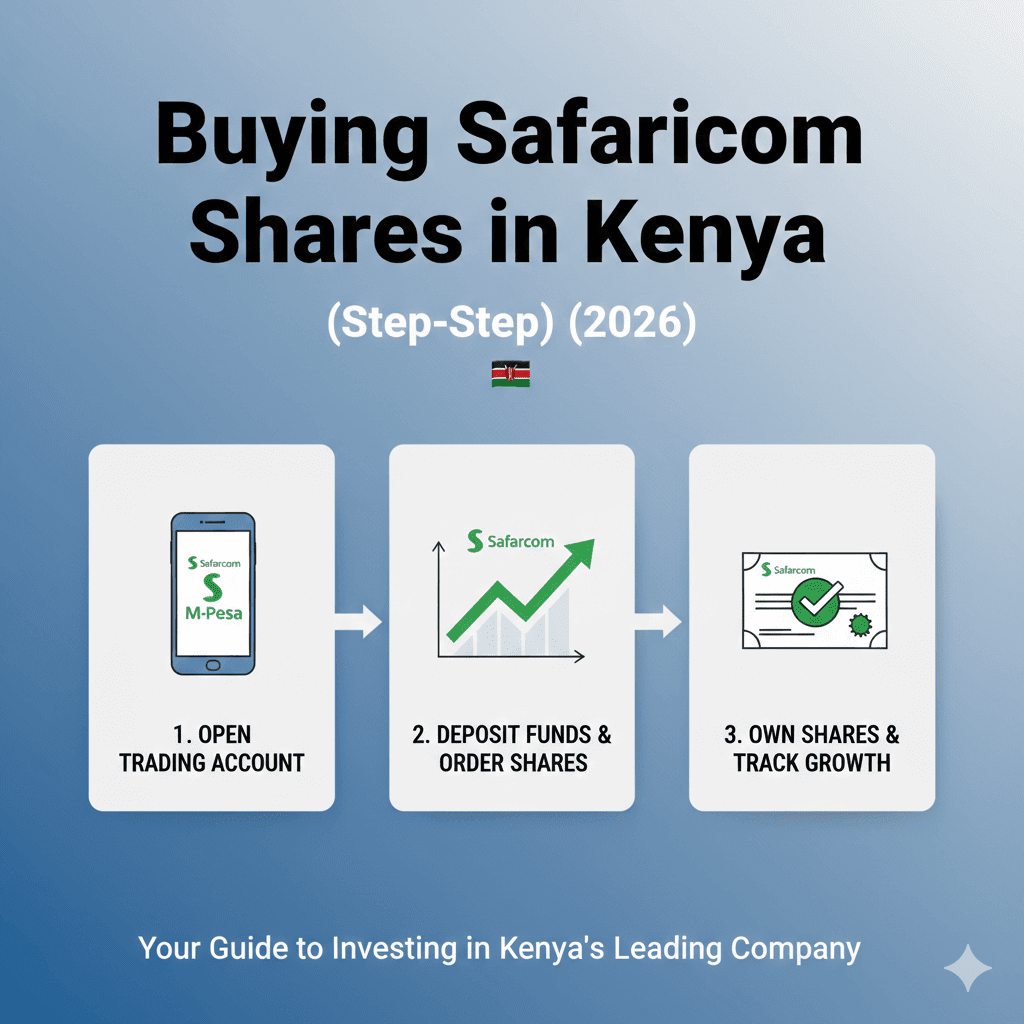
Buying Safaricom shares is one of the most common first investments for Kenyans. The name recognition, M-Pesa trust, and widespread ownership make SCOM the go-to stock for beginners entering the NSE. Whether you’re searching for how to buy Safaricom shares, wondering about the minimum shares to buy in Safaricom, or trying to calculate how much is 500 shares of Safaricom, this complete guide walks you through every step—from opening a CDS account to receiving your first dividend.
Understanding how to buy Safaricom shares properly ensures you avoid costly mistakes and set yourself up for successful NSE investing.
Why Safaricom Shares Are So Popular
Before diving into the how to buy Safaricom shares process, let’s understand why SCOM is Kenya’s most-owned stock.
The Trust Factor
Brand Recognition:
- Every Kenyan knows Safaricom
- Uses M-Pesa daily
- Understands the business
- Trusts the brand
M-Pesa Connection:
- 30+ million users
- Essential service
- Hard to imagine Kenya without it
- Confidence in long-term viability
Social Proof:
- Friends and family own it
- Government owns 35%
- Widely held by pension funds
- “Safe” choice for beginners
Financial Appeal
Consistent Dividends:
- 7-8% dividend yield
- Paid annually since 2008
- Never missed a payment
- Reliable income stream
Liquidity:
- Most traded NSE stock
- Easy to buy and sell
- Narrow bid-ask spread
- Can exit position quickly
Market Leadership:
- Largest NSE company by market cap
- Dominant telecom position
- M-Pesa near-monopoly
- Defensive business model
What You Need Before You Can Buy
Before you can start the how to buy Safaricom shares process, you need three essential requirements:
1. National ID or Passport
Kenyan Citizens:
- Valid National ID card
- Used for identity verification
- Required by all brokers
Foreign Investors:
- Valid passport
- May need additional documentation
- Some brokers specialize in foreign clients
2. KRA PIN (Tax Identification)
What It Is:
- Kenya Revenue Authority Personal Identification Number
- Required for all investments
- Tracks tax obligations
How to Get:
- Apply online at iTax portal (itax.kra.go.ke)
- Or visit Huduma Centre
- Free to obtain
- Instant online, 1-3 days at Huduma
Why It’s Required:
- Dividend tax reporting (5% withholding)
- Capital gains tracking
- Regulatory compliance
3. Bank Account
For Payments:
- Kenyan bank account (any bank)
- M-Pesa wallet (some brokers)
- Funds to invest
For Dividends:
- Dividends deposited here
- Must be linked to CDS account
- Verify account details are correct
Step 1: Open a CDS Account
The CDS (Central Depository System) account is your digital vault where Safaricom shares are stored.
What Is a CDS Account?
Think of it like:
- A bank account, but for shares (not cash)
- Central registry of all your NSE holdings
- Required for ALL NSE trading
- One CDS account = all stocks you own
Not Optional: Can’t buy Safaricom shares (or any NSE shares) without a CDS account first.
Where to Open a CDS Account
Option 1: Through a Stockbroker
- Any licensed NSE broker
- Opens CDS account as part of setup
- Usually free
- Takes 5-10 business days
Option 2: Through Your Bank
- Some banks offer this service
- NCBA, KCB, Equity (check if available)
- Convenient if you already bank there
Option 3: Through Investment Apps
- Hisa, Mali, etc.
- Digital application process
- CDS account created automatically
- Fastest option (2-5 days)
CDS Account Cost
Setup Fee: Free to Ksh 200 (most brokers waive it) Annual Maintenance: Ksh 100-300 per year No Transaction Fees:CDS doesn’t charge per trade
How Long It Takes
Application: 15-30 minutes Processing: 5-10 business days Approval: Email/SMS notification Ready to Trade: After approval
Pro Tip: Start CDS application NOW, even if you’re not ready to buy yet. Don’t wait until you want to invest—the 1-2 week wait will frustrate you.
Step 2: Choose a Stockbroker
Once you have a CDS account, you need a stockbroker to place orders on the NSE.
Broker Comparison Table
| Broker | Min Investment | Commission Rate | Online Platform | M-Pesa | Best For |
|---|---|---|---|---|---|
| Hisa App | Ksh 100 | 1.5% | Yes (app) | ✅ Yes | Beginners, small amounts |
| Mali App | Ksh 100 | 1.5% | Yes (app) | ✅ Yes | Beginners, fractional shares |
| Genghis Capital | Ksh 5,000 | 1.76% | Yes | ❌ No | Experienced investors |
| NCBA Investment | Ksh 5,000 | 2.1% | Yes | ❌ No | Bank customers |
| SBG Securities | Ksh 5,000 | 1.88% | Yes | ❌ No | Mid-sized investors |
| Faida Investment | Ksh 5,000 | 1.8% | Yes | ❌ No | Active traders |
| Dyer & Blair | Ksh 10,000 | 1.88% | Yes | ❌ No | Premium service |
Investment Apps (Easiest for Beginners)
Hisa:
- No minimum investment (buy fractional shares)
- M-Pesa payment
- User-friendly app
- Start with Ksh 100-500
- Perfect for learning
Mali:
- Similar to Hisa
- Fractional shares available
- M-Pesa integration
- Clean interface
Advantages: ✅ No large minimum investment ✅ M-Pesa payment (convenient) ✅ Digital-first (no office visits) ✅ Lower fees than traditional brokers ✅ Great for beginners
Disadvantages: ❌ Limited research tools ❌ Fewer advanced features ❌ No human advisor
Traditional Brokers (More Established)
Genghis Capital:
- Established reputation
- Research reports available
- Personal broker service
- Ksh 5,000 minimum
NCBA Investment Bank:
- Part of NCBA Group
- Convenient if you bank with NCBA
- Access to IPOs
- Higher minimum
When to Choose Traditional:
- Investing Ksh 50,000+
- Want research and advice
- Planning frequent trades
- Need advanced tools
Making Your Choice
Choose Investment App If:
- First-time investor
- Starting with under Ksh 10,000
- Want M-Pesa convenience
- Prefer digital-only
Choose Traditional Broker If:
- Investing Ksh 50,000+
- Want personal service
- Need research reports
- Comfortable with bank transfers
Step 3: Place Your Order
Once you have CDS account and chosen broker, you’re ready to buy Safaricom shares.
Market Order vs Limit Order
Market Order:
- Buy immediately at current price
- Executes fast (within seconds/minutes)
- Price may vary slightly from what you saw
- Use when: You want shares NOW
Example: “Buy 500 Safaricom shares at market price” Result: You get shares at Ksh 17.50 or whatever current price is
Limit Order:
- Specify exact price you’ll pay
- Only executes if price reaches your target
- May not execute if price never reaches target
- Use when: You want specific price
Example: “Buy 500 Safaricom shares at Ksh 17.00 or lower” Result: Order sits until price drops to Ksh 17.00, then executes
For Beginners: Use Market Order
Why:
- Guarantees you get shares
- Safaricom price doesn’t move much hour-to-hour
- Simple and straightforward
- Executes quickly
For Ksh 0.50 difference (Ksh 17.00 vs Ksh 17.50), you’re only talking Ksh 250 on 500 shares—not worth waiting weeks for “perfect” price.
How to Place Order
Via Investment App:
- Open app (Hisa, Mali)
- Search “Safaricom” or “SCOM”
- Click “Buy”
- Enter number of shares
- Choose market or limit order
- Confirm
- Pay via M-Pesa
- Done!
Via Traditional Broker:
- Call or email your broker
- “I want to buy 500 Safaricom shares”
- Broker confirms price and total cost
- You confirm order
- Transfer money to broker’s account
- Broker executes trade
- Receive trade confirmation
Step 4: Confirm and Settle
After placing your order, here’s what happens behind the scenes.
T+3 Settlement
What It Means:
- Trade Date + 3 business days = Settlement
- You buy Monday → Settles Thursday
- Money and shares exchange Thursday
- You own shares Thursday
During T+3:
- Your money is held
- Shares aren’t yours yet (pending)
- Can’t sell during this period
- Normal NSE process
What Appears in Your CDS Account
After Settlement:
- Safaricom shares appear in CDS
- Quantity correct (500 shares)
- Your name as owner
- Ready to sell (if you want)
How to Check:
- Login to broker platform
- View portfolio
- See SCOM holdings
- Track value daily
How Much Does It Cost to Buy Safaricom Shares?
Let’s break down the real costs for how to buy Safaricom shares including all fees.
Cost Breakdown Example
Scenario: Buy 500 Safaricom shares at Ksh 17.50 each
Share Cost: 500 shares × Ksh 17.50 = Ksh 8,750
Broker Commission:
- Rate: 1.5% (investment apps) to 2.1% (traditional)
- On Ksh 8,750 at 1.5% = Ksh 131.25
- At 2.1% = Ksh 183.75
NSE & CMA Levies:
- ~0.12% combined
- On Ksh 8,750 = Ksh 10.50
Total Cost:
- Via Hisa (1.5%): Ksh 8,750 + 131.25 + 10.50 = Ksh 8,891.75
- Via NCBA (2.1%): Ksh 8,750 + 183.75 + 10.50 = Ksh 8,944.25
Difference: Ksh 52.50 (lower fees save you money!)
Cost for Different Quantities
100 Safaricom Shares:
- Share cost: 100 × Ksh 17.50 = Ksh 1,750
- Fees (1.5%): ~Ksh 28
- Total: ~Ksh 1,778
1,000 Safaricom Shares:
- Share cost: 1,000 × Ksh 17.50 = Ksh 17,500
- Fees (1.5%): ~Ksh 263
- Total: ~Ksh 17,763
5,000 Safaricom Shares:
- Share cost: 5,000 × Ksh 17.50 = Ksh 87,500
- Fees (1.5%): ~Ksh 1,313
- Total: ~Ksh 88,813
How Much Is 500 Shares of Safaricom?
At Ksh 17.50 per share (2026 estimate):
- Share value: Ksh 8,750
- With fees: Ksh 8,892-8,944
- Budget: ~Ksh 9,000 total
Annual Dividend:
- 500 shares × Ksh 1.40 DPS = Ksh 700
- After 5% tax: Ksh 665
- Yield on investment: 7.4%
Minimum Shares to Buy in Safaricom
Understanding the minimum shares to buy in Safaricom is important for budgeting.
NSE Board Lot Rule
Official Minimum: 100 shares
What This Means:
- Traditional brokers: Must buy in multiples of 100
- 100, 200, 300, 500, 1,000 shares (OK)
- 50, 75, 150, 275 shares (NOT ALLOWED on traditional brokers)
Cost of Minimum:
- 100 shares × Ksh 17.50 = Ksh 1,750
- Plus fees: ~Ksh 28
- Total: ~Ksh 1,778
Investment Apps: No Minimum!
Fractional Shares:
- Hisa, Mali allow buying fractional shares
- Can buy Ksh 100 worth (5-6 shares)
- Or Ksh 500 worth (28-29 shares)
- Perfect for beginners
Example: “I have Ksh 500 to invest” → Via Hisa: Buy Ksh 500 worth of SCOM (28 shares) → Via traditional broker: Not enough (need Ksh 1,778 minimum)
Which Should You Choose?
Start with Investment App If:
- You have under Ksh 5,000
- Want to learn with small amounts
- Like the flexibility
- Budget is tight
Use Traditional Broker If:
- You have Ksh 10,000+
- Want to buy full board lots
- Don’t mind higher minimums
- Want research access
Can I Buy Safaricom Shares via M-Pesa?
Yes! M-Pesa payment makes buying Safaricom shares accessible to all Kenyans.
How M-Pesa Payment Works
Via Investment Apps (Hisa, Mali):
Step 1: Select amount to invest in app Step 2: Choose M-Pesa payment Step 3: Enter M-Pesa PIN Step 4: Confirm payment Step 5: Money deducted from M-Pesa Step 6: Shares purchased automatically
Instant and Easy!
M-Pesa Limits
Transaction Limit: Ksh 150,000 per transaction
- Enough for most retail purchases
- For larger amounts, use bank transfer
Daily Limit: Ksh 300,000
- Can buy up to 17,000 shares daily (at Ksh 17.50)
- Sufficient for almost all retail investors
Traditional Brokers and M-Pesa
Most Traditional Brokers: Do NOT accept M-Pesa
- Require bank transfer or cheque
- More cumbersome
- Another reason to use apps
Exception: Some brokers testing M-Pesa
- Check with your specific broker
- May offer Lipa na M-Pesa paybill
What Happens After You Buy?
Understanding the post-purchase process completes your knowledge of how to buy Safaricom shares.
Dividends Automatically Credited
When Safaricom Pays Dividend:
- Money deposited to bank account linked to CDS
- Automatic (no action needed)
- Typically October each year
- After 5% tax withholding
Example: You own 500 shares → Safaricom pays Ksh 1.40 per share → Your dividend: 500 × Ksh 1.40 = Ksh 700 → After 5% tax: Ksh 665 → Deposited to your bank account automatically
Important: Verify your CDS account has correct bank details!
Shares Appear in CDS
Check Your Holdings:
- Login to broker platform or app
- View “Portfolio” or “My Investments”
- See: Safaricom (SCOM) – 500 shares
- Current value updates daily
CDS Statement:
- Official record of ownership
- Can request from broker
- Shows all shares you own
- Proof for any disputes
Selling Your Shares
Anytime You Want:
- Safaricom is highly liquid
- Can sell in minutes (market order)
- Money settles in T+3 days
- No lock-in period
How to Sell:
- Via app: Click “Sell”, enter quantity, confirm
- Via broker: Call/email “Sell 500 SCOM shares”
- Funds arrive in account 3-4 days later
Common Mistakes to Avoid
Learn from others’ errors when figuring out how to buy Safaricom shares.
Mistake #1: CDS Account in Wrong Name
The Problem: Opening CDS in broker’s name, not yours
Why It’s Bad:
- Dividends go to broker, not you
- Complications selling shares
- Not really “your” shares
Solution: Ensure CDS account is in YOUR NAME with YOUR bank details
Mistake #2: Paying Too Much in Broker Fees
The Problem: Using expensive broker (2.1% vs 1.5%)
The Cost: On Ksh 50,000 investment:
- 2.1% fees = Ksh 1,050
- 1.5% fees = Ksh 750
- Wasted: Ksh 300
Solution: Compare broker fees before opening account. Over 10 years, this adds up!
Mistake #3: Not Understanding Settlement
The Problem: Thinking shares are yours immediately after buying
Why It Matters:
- Shares settle in T+3 days
- Can’t sell during settlement
- If you need quick liquidity, factor this in
Solution: Remember T+3 rule. Plan accordingly.
Mistake #4: Buying Before Understanding Dividend Dates
The Problem: Buying 1 day before book-close, expecting dividend
What Happens:
- You don’t qualify (need 2 days before)
- Share price drops on ex-dividend date
- You lose money instead of gaining
Solution: Buy at least 5 days before book-close to be safe (or plan to hold long-term so dates don’t matter)
Mistake #5: Panic Selling
The Problem: Share price drops 10%, you panic and sell
Why It’s Costly:
- Lock in losses
- Miss recovery
- Pay fees twice (buying + selling)
- Safaricom historically recovers
Solution: Only invest money you won’t need for 5+ years. Ignore short-term volatility.
Conclusion: Ready to Buy Safaricom Shares?
You now understand exactly how to buy Safaricom shares from start to finish. Whether you’re investing Ksh 1,000 or Ksh 100,000, the process is the same:
Your Action Checklist:
□ Get your KRA PIN (if you don’t have one) □ Choose broker (investment app for beginners) □ Open CDS account (5-10 days processing) □ Fund your account (M-Pesa or bank transfer) □ Place buy order for Safaricom shares □ Confirm shares appear in your CDS account □ Hold for dividends and long-term growth
Quick Start Options:
Beginner (Ksh 500-5,000):
- Use Hisa or Mali app
- Buy fractional shares
- Pay via M-Pesa
- Start small, learn, grow
Intermediate (Ksh 5,000-50,000):
- Use investment app OR traditional broker
- Buy 100-3,000 shares
- Either M-Pesa or bank transfer
- Build substantial position
Advanced (Ksh 50,000+):
- Use traditional broker (better service at this level)
- Buy 3,000+ shares
- Bank transfer
- Access research reports
Remember: The minimum shares to buy in Safaricom is technically 100 shares (Ksh 1,778), but investment apps let you start with any amount.
How much is 500 shares of Safaricom? Approximately Ksh 9,000 including all fees—a reasonable starting position for most Kenyan investors.
For more information on Safaricom’s dividend history and whether SCOM is a good investment, see our complete Safaricom dividends analysis. For comparing SCOM to other NSE stocks, check our blue chip stocks guide.
Start your journey today—every successful investor began with their first share purchase!
FAQ: Buying Safaricom Shares
Q: How many Safaricom shares can I buy with KES 10,000?
Answer:
At current prices (Ksh 17.50 per share), you can buy approximately 550-560 Safaricom shares with Ksh 10,000.
Detailed Calculation:
Budget: Ksh 10,000
Minus Fees (1.5% broker + 0.12% levies):
- Ksh 10,000 ÷ 1.0162 = Ksh 9,841 (amount available for shares)
Number of Shares:
- Ksh 9,841 ÷ Ksh 17.50 = 562 shares
Exact Cost Breakdown:
- 562 shares × Ksh 17.50 = Ksh 9,835
- Broker commission (1.5%): Ksh 147.53
- NSE/CMA levies (0.12%): Ksh 11.80
- Total: Ksh 9,994.33
Your Position:
- Shares owned: 562
- Cost per share (all-in): Ksh 17.78
- Remaining cash: Ksh 5.67
Annual Dividend Income:
- 562 shares × Ksh 1.40 DPS = Ksh 786.80
- After 5% tax: Ksh 747.46
- Yield on Ksh 10,000: 7.47%
Different Broker Scenarios:
Via Hisa App (1.5% commission):
- Shares: 562
- Total cost: Ksh 9,994
- ✅ Most shares for your money
Via NCBA Investment Bank (2.1% commission):
- Shares: 557 (slightly fewer due to higher fees)
- Total cost: Ksh 9,996
- 5 fewer shares
Difference: Ksh 7/year in dividends (minimal, but adds up over time)
If Price Changes:
At Ksh 16.00/share:
- ~600 shares with Ksh 10,000
At Ksh 20.00/share:
- ~490 shares with Ksh 10,000
Investment App Advantage: If using fractional share platforms (Hisa, Mali):
- Buy EXACTLY Ksh 10,000 worth
- No cash left over
- Get 571 shares (including fractional shares)
Traditional Broker:
- Must buy in 100-share lots
- 500 shares = Ksh 8,892
- 600 shares = Ksh 10,670 (over budget!)
- Leftover cash: Ksh 1,108
Best Strategy: Use investment app to maximize shares purchased with your exact Ksh 10,000 budget.
Q: Which broker has the lowest fees for NSE?
Answer:
Investment apps (Hisa, Mali) have the lowest fees at 1.5% commission, saving you money compared to traditional brokers.
Fee Comparison Table:
| Broker | Commission | NSE/CMA Levies | Total Cost | On Ksh 10,000 |
|---|---|---|---|---|
| Hisa App | 1.5% | 0.12% | 1.62% | Ksh 162 |
| Mali App | 1.5% | 0.12% | 1.62% | Ksh 162 |
| Genghis Capital | 1.76% | 0.12% | 1.88% | Ksh 188 |
| Faida Investment | 1.8% | 0.12% | 1.92% | Ksh 192 |
| SBG Securities | 1.88% | 0.12% | 2.0% | Ksh 200 |
| Dyer & Blair | 1.88% | 0.12% | 2.0% | Ksh 200 |
| NCBA Investment | 2.1% | 0.12% | 2.22% | Ksh 222 |
Savings Over Time:
Single Ksh 50,000 Investment:
- Hisa (1.5%): Ksh 810 fees
- NCBA (2.1%): Ksh 1,110 fees
- Saved: Ksh 300
Annual Ksh 50,000 Investments (10 years):
- Total invested: Ksh 500,000
- Hisa fees: Ksh 8,100
- NCBA fees: Ksh 11,100
- Saved: Ksh 3,000 over decade
But Wait—There’s More to Consider:
Fee Isn’t Everything:
Investment Apps (1.5%): ✅ Lowest fees ✅ M-Pesa integration ✅ Fractional shares ✅ Easy to use ❌ No research reports ❌ No personal advisor ❌ Limited advanced tools
Traditional Brokers (1.76-2.1%): ✅ Research reports ✅ Personal broker service ✅ IPO access ✅ Market insights ❌ Higher fees ❌ Higher minimums ❌ No M-Pesa
When Higher Fees Are Worth It:
If you:
- Trade frequently (research saves you more than fees cost)
- Invest Ksh 100,000+ (value advice)
- Want IPO allocations
- Need hand-holding
Then: Pay extra 0.5% for traditional broker
When Lower Fees Are Best:
If you:
- Buy and hold long-term (few transactions)
- Invest under Ksh 50,000
- Know what you want to buy
- Don’t need advice
Then: Save money with investment app
Hidden Fees to Watch:
Some Brokers Charge:
- Custody fees: Ksh 50-100/month
- Inactivity fees: Ksh 500/year
- Statement fees: Ksh 200/statement
- Withdrawal fees: Ksh 100-500
Investment Apps: Usually NO hidden fees
Our Recommendation:
For 90% of Kenyan investors: Use Hisa or Mali (1.5% fees)
Upgrade to traditional broker when:
- Your portfolio exceeds Ksh 500,000
- You’re trading weekly
- You want professional advice
Bottom Line: Hisa and Mali offer the lowest Safaricom shares broker fees Kenya at 1.5%, saving you Ksh 60 per Ksh 10,000 invested compared to average traditional brokers.
Q: Can I sell my Safaricom shares anytime?
Answer:
Yes, you can sell Safaricom shares anytime the NSE is open (Monday-Friday, 9:00 AM – 3:00 PM), and it’s one of the easiest NSE stocks to sell.
Trading Hours:
When You Can Sell:
- Monday to Friday
- 9:00 AM – 3:00 PM EAT
- Closed on NSE holidays
When You CANNOT Sell:
- Weekends
- Public holidays
- Outside trading hours (after 3:00 PM)
How Fast Can You Sell?
Market Order (Immediate):
- Place sell order via app/broker
- Executes within seconds to minutes
- Get current market price
- Fastest way to exit
Example:
- 9:30 AM: You decide to sell
- 9:31 AM: Place market order via Hisa app
- 9:32 AM: Order executed at Ksh 17.45
- Done in 2 minutes!
Limit Order (Wait for Price):
- Specify desired price
- Only executes if price reached
- May take hours, days, or never execute
- Use when not urgent
Settlement Timeline:
After Sell Order Executes:
T+3 Settlement:
- Sell Monday → Money Wednesday
- Sell Friday → Money next Wednesday
- Always 3 business days
Money Flow:
- Shares leave your CDS account immediately
- Cash arrives in bank account T+3
- Can’t access money during settlement
Example:
- Monday 10 AM: Sell 500 shares at Ksh 17.50 = Ksh 8,750
- Minus fees (1.5%): Ksh 131
- Net proceeds: Ksh 8,619
- Thursday: Money in your bank account
Why Safaricom Is Easiest to Sell:
High Liquidity:
- 50-100 million shares trade daily
- Always buyers available
- Narrow bid-ask spread (Ksh 0.05-0.10)
- No problem selling large positions
Compare to Small-Cap NSE Stocks:
- May trade only 10,000 shares daily
- Wide bid-ask spreads (Ksh 1-2)
- Hard to sell without moving price
- May take days to exit
Any Restrictions on Selling?
No Lock-Up Period:
- Can sell immediately after buying (after T+3 settlement)
- No minimum holding period
- Complete freedom
Exception: IPO Allocations:
- Sometimes IPO shares have lock-up (rare)
- Safaricom is already listed, so no lock-up
- Sell whenever you want
Costs of Selling:
Same as Buying:
- Broker commission: 1.5-2.1%
- NSE/CMA levies: 0.12%
- Total: 1.62-2.22% of sale value
Example:
- Sell 500 shares at Ksh 18.00 = Ksh 9,000
- Fees (1.5%): Ksh 135
- Net you receive: Ksh 8,865
Tax on Sale:
Capital Gains Tax: 0% (none!)
What This Means:
- Buy at Ksh 15, sell at Ksh 20
- Capital gain: Ksh 5 per share
- Tax: Ksh 0
- Keep 100% of gains!
Should You Sell Often?
Trading Frequently: ❌ Fees eat into profits (1.5% each way = 3% round trip) ❌ Can’t time the market consistently ❌ Miss dividends if not holding on book-close ❌ Stressful and time-consuming
Buying and Holding: ✅ Minimize fees (buy once, sell once) ✅ Receive all dividends ✅ Long-term capital appreciation ✅ Less stress
When to Sell:
Good Reasons: ✅ Need money for emergency ✅ Rebalancing portfolio (SCOM too large %) ✅ Better investment opportunity elsewhere ✅ Fundamental business change
Bad Reasons: ❌ Price dropped 5% (panic) ❌ Friend said to sell ❌ Trying to time the market ❌ Impatient for gains
Bottom Line:
Yes, you can sell Safaricom shares anytime during market hours, and settlement takes 3 business days. Safaricom’s high liquidity means you’ll never have trouble finding buyers. However, buying and holding long-term is typically smarter than frequent trading due to fees and tax efficiency.